# Javascript Functions

{% content-ref url="<https://app.gitbook.com/o/QMsd5hT6sxA9FBIB03yh/s/3UKy7VHRJWrNarYaMp13/>" %}
[Blippar Documentation Centre](https://app.gitbook.com/o/QMsd5hT6sxA9FBIB03yh/s/3UKy7VHRJWrNarYaMp13/)
{% endcontent-ref %}

The WebAR’s functions are accessed through the global variable <mark style="color:orange;">**WEBARSDK**</mark>, which is available after the WebAR SDK script has been loaded. The functions in this page are compatible with A-Frame, BabylonJS & Playcanvas integration if not otherwise specified.

## **AddMarkerElement()** <a href="#h_01gdg0bjgwwv6f3wp8acjs3642" id="h_01gdg0bjgwwv6f3wp8acjs3642"></a>

**Usage**

```javascript
WEBARSDK.AddMarkerElement(markerId, entityId);
```

**Description**

Associate a specific marker id with an aframe entity's id. When the marker id's image is detected, then the associated aframe entity will be displayed over the marker image.

{% hint style="info" %}
This API only works with AFrame renderer.
{% endhint %}

**Parameters**

<table><thead><tr><th width="273">Parameter</th><th width="241">Type</th><th>Description</th></tr></thead><tbody><tr><td><em><mark style="color:orange;">markerId</mark></em></td><td><mark style="color:orange;">uuid</mark></td><td>Marker id value obtained from the Blippar Hub Manager after uploading an image.</td></tr><tr><td><em><mark style="color:orange;">entityId</mark></em></td><td><mark style="color:orange;">string</mark></td><td>Value of id attribute of html element.</td></tr></tbody></table>

**Returns**

\-

**Example**

<pre class="language-javascript"><code class="lang-javascript"><strong>WEBARSDK.AddMarkerElement("3b7a4c87-5391-414b-b5b5-72d86292cf28", "marker1");
</strong></code></pre>

## **DisableAutoScale()** (deprecated)

**Usage**

```javascript
WEBARSDK.DisableAutoScale(disableAutoScaling);
```

**Description**

Disables the auto scaling which happens only object is being anchored, only once. (API only works with "Surface-Tracking")

{% hint style="info" %}
If auto scale is enabled(recommended), the AR object is scaled in such a way that it fits the screen, otherwise the AR object would appear based on the detected surface's extent(which would not be consistent).
{% endhint %}

\
\&#xNAN;*<mark style="color:red;">This API is deprecated, use API "SetAutoScale()" instead.</mark>*

| Parameter                                               | Type                                       | Description                                                                |
| ------------------------------------------------------- | ------------------------------------------ | -------------------------------------------------------------------------- |
| *<mark style="color:orange;">disableAutoScaling</mark>* | <mark style="color:orange;">boolean</mark> | <p>if true, disables the autoscale<br>if false, enables the autoscale.</p> |

**Returns**

\-

**Example**

<pre class="language-javascript"><code class="lang-javascript"><strong>WEBARSDK.DisableAutoScale(true);
</strong></code></pre>

## **DisableTracking()** <a href="#h_01fg3wj4ata3tqwkt0cs3r04ex" id="h_01fg3wj4ata3tqwkt0cs3r04ex"></a>

**Usage**

```javascript
WEBARSDK.DisableTracking(enableGyroCam);
```

**Description**

This function is defined for a portal experience and is used to disable tracking, after the mobile device approaches a portal door, and to start the gyro camera if required. The parameter enableGyroCam is supported only in AFrame rendering engine. It will be ignored for other rendering engines.

**Parameters**

| Parameter                                                                                                                                                 | Type                                       | Description                                                                                                                                                                                                                                                          |
| --------------------------------------------------------------------------------------------------------------------------------------------------------- | ------------------------------------------ | -------------------------------------------------------------------------------------------------------------------------------------------------------------------------------------------------------------------------------------------------------------------- |
| <p><em><mark style="color:orange;">enableGyroCam</mark></em></p><p><em><mark style="color:orange;">(This parameter works only for AFrame)</mark></em></p> | <mark style="color:orange;">boolean</mark> | <p>If <em><strong>true</strong></em>, disables surface tracking and starts A-Frame’s gyro camera.</p><p><br></p><p>If <em><strong>false</strong></em>, disables surface tracking but does not start A-Frame’s gyro camera. The camera’s position is not updated.</p> |

**Returns**

\-

**Example**

```javascript
let closenessRatio = 0.30;

WEBARSDK.SetPortalEntryCallback(() => {
   console.info('Entered the portal door');

   let enableGyroCam =true;

   WEBARSDK.DisableTracking(enableGyroCam);
   console.info('Enabled gyro cam');
 },
closenessRatio);
```

## EnableTrackingOnDeskto&#x70;**()** <a href="#h_01fg3wj4ata3tqwkt0cs3r04ex" id="h_01fg3wj4ata3tqwkt0cs3r04ex"></a>

**Usage**

```javascript
WEBARSDK.EnableTrackingOnDesktop(enableTracking);
```

**Description**

This function is specifically designed to enable desktop tracking for face tracking scenarios. This function is particularly useful in instances where the application initially starts in a 'lazy-mode' and subsequently determines which tracking mode to initiate. `EnableTrackingOnDesktop()` activates the face tracking capabilities of the SDK when running on a desktop environment. It is supported only in AFrame rendering engine for face tracking mode. It will be ignored for other rendering engines.

Additionally, desktop tracking can also be controlled via the [`enable-tracking-on-desktop`](https://docs.blippar.com/webar-sdk/api/api-ref-1.5.3/sdk-configuration-properties#h_enabletrackingondesktop) attribute.

**Parameters**

| Parameter                                           | Type                                       | Description                                                                                                                                                                                                                 |
| --------------------------------------------------- | ------------------------------------------ | --------------------------------------------------------------------------------------------------------------------------------------------------------------------------------------------------------------------------- |
| *<mark style="color:orange;">enableTracking</mark>* | <mark style="color:orange;">boolean</mark> | <p>If <em><strong>true</strong></em>, enables face tracking on desktop<br></p><p>If <em><strong>false</strong></em>, disables surface tracking on desktop if already enabled by <code>enable-tracking-on-desktop</code></p> |

**Returns**

\-

**Example**

```javascript
WEBARSDK.EnableTrackingOnDesktop(true);
```

## **GetActiveMarkerId()** <a href="#h_01gdg1tv45zjsbak2rx1ydvd8x" id="h_01gdg1tv45zjsbak2rx1ydvd8x"></a>

**Usage**

```javascript
WEBARSDK.GetActiveMarkerId();
```

**Description**

Gets the active marker id i.e. UUID of the current detected marker.

**Parameters**

\-

**Returns**

| Returns                                       | Type                                      | Description                                                                                                                                                                                                        |
| --------------------------------------------- | ----------------------------------------- | ------------------------------------------------------------------------------------------------------------------------------------------------------------------------------------------------------------------ |
| *<mark style="color:orange;">markerId</mark>* | <mark style="color:orange;">string</mark> | <p>'marker-id' i.e. uuid string of the detected marker i.e. value obtained from the Blippar Hub Manager after uploading respective marker image.<br><br>Returns empty string "", if there is no active marker.</p> |

**Example**

<pre class="language-javascript"><code class="lang-javascript"><strong>const activeMarkerId = WEBARSDK.GetActiveMarkerId();
</strong></code></pre>

## **GetCurrentPose()** <a href="#h_01gdg3px0j4gzpqbzsza6serfy" id="h_01gdg3px0j4gzpqbzsza6serfy"></a>

**Usage**

```javascript
WEBARSDK.GetCurrentPose();
```

**Description**

Returns a 4x4 matrix that transforms a stage 3D-object into world-coordinates. Matrix should be accessed in ‘row-major’ order. Please note that tracking assumes a Static-Camera-With-A-Moving-Stage by default. However, it can be changed to Moving-Camera-With-A-Static-Stage using attribute 'static-camera'.

**Parameters**

\-

**Returns**

| Returns                                         | Type                                            | Description                                                                                                                                  |
| ----------------------------------------------- | ----------------------------------------------- | -------------------------------------------------------------------------------------------------------------------------------------------- |
| *<mark style="color:orange;">poseMatrix</mark>* | <mark style="color:orange;">array matrix</mark> | The first 3x3 sub-matrix describes the rotation and the first-3 entries of the last column describe the position (location of stage-object). |

**Example**

```javascript
const pos_mat = WEBARSDK.GetCurrentPose();
console.info("Pose Matrix", 
pos_mat[0],  pos_mat[1],  pos_mat[2],  pos_mat[3], "\n",
pos_mat[4],  pos_mat[5],  pos_mat[6],  pos_mat[7], "\n",
pos_mat[8],  pos_mat[9],  pos_mat[10], pos_mat[11], "\n",
pos_mat[12], pos_mat[13], pos_mat[14], pos_mat[15]);
```

## **GetCurrentPosition()** <a href="#h_01gjhvesf1ytd4zxa43tmqx39e" id="h_01gjhvesf1ytd4zxa43tmqx39e"></a>

**Usage**

```javascript
WEBARSDK.GetCurrentPosition();
```

**Description**

Returns the position of the stage/camera object based on attribute *'static-camera'*. Please note that tracking assumes a Static-Camera-With-A-Moving-Stage by default. However, it can be changed to Moving-Camera-With-A-Static-Stage using attribute 'static-camera'.

**Parameters**

\-

**Returns**

| Returns                                       | Type                                            | Description                                                                                                     |
| --------------------------------------------- | ----------------------------------------------- | --------------------------------------------------------------------------------------------------------------- |
| *<mark style="color:orange;">position</mark>* | <mark style="color:orange;">Float32Array</mark> | Array of size 3 in order \[x, y z] where x, y & z denotes the position on x-axis, y-axis & z-axis respectively. |

**Example**

<pre class="language-javascript"><code class="lang-javascript"><strong>const position = WEBARSDK.GetCurrentPosition();
</strong><strong>console.info("Position [x y z] ", position[0],  position[1],  position[2]);
</strong></code></pre>

## **GetCurrentRotation()** <a href="#h_01gjhvf7g8m2dasdph3zg7xs6c" id="h_01gjhvf7g8m2dasdph3zg7xs6c"></a>

**Usage**

```javascript
WEBARSDK.GetCurrentRotation();
```

**Description**

Returns a 4x4 pure rotation matrix of the stage/camera object based on attribute *'static-camera'*. It is the orientation of stage/camera with respect to the world.

**Parameters**

\-

**Returns**

| Returns                                             | Type                                            | Description                                      |
| --------------------------------------------------- | ----------------------------------------------- | ------------------------------------------------ |
| *<mark style="color:orange;">rotationMatrix</mark>* | <mark style="color:orange;">Float32Array</mark> | The first 3x3 sub-matrix describes the rotation. |

**Example**

```javascript
const rot_mat = WEBARSDK.GetCurrentRotation();
console.info("Pure Rotation Matrix", 
pos_mat[0],  pos_mat[1],  pos_mat[2],  pos_mat[3], "\n",
pos_mat[4],  pos_mat[5],  pos_mat[6],  pos_mat[7], "\n",
pos_mat[8],  pos_mat[9],  pos_mat[10], pos_mat[11], "\n",
pos_mat[12], pos_mat[13], pos_mat[14], pos_mat[15]);
```

## **GetCurrentScale()** <a href="#h_01gjhvfrech7x3dpb3s8sb38ez" id="h_01gjhvfrech7x3dpb3s8sb38ez"></a>

**Usage**

```javascript
WEBARSDK.GetCurrentScale();
```

**Description**

Returns the scale of the stage object.

**Parameters**

\-

**Returns**

| Returns                                    | Type                                            | Description                                                                                                                            |
| ------------------------------------------ | ----------------------------------------------- | -------------------------------------------------------------------------------------------------------------------------------------- |
| *<mark style="color:orange;">scale</mark>* | <mark style="color:orange;">Float32Array</mark> | Array of size 3 in order \[sx, sy sz] where sx, sy & sz denotes the scale of the stage object in x-axis, y-axis & z-axis respectively. |

**Example**

<pre class="language-javascript"><code class="lang-javascript"><strong>const scale = WEBARSDK.GetCurrentScale();
</strong><strong>console.info("Scale [sx sy sz] ", scale[0],  scale[1],  scale[2]);
</strong></code></pre>

## **GetLoadingProgress()** <a href="#h_01gdg3qbf40md56j9nk54nbfwy" id="h_01gdg3qbf40md56j9nk54nbfwy"></a>

**Usage**

```javascript
WEBARSDK.GetLoadingProgress();
```

**Description**

Returns the app loading progress as a percentage. User may find this useful while creating custom splash screen to create custom animation for loading progress.

**Parameters**

\-

**Returns**

| Returns                                              | Type                                     | Description                     |
| ---------------------------------------------------- | ---------------------------------------- | ------------------------------- |
| *<mark style="color:orange;">loadingProgress</mark>* | <mark style="color:orange;">float</mark> | Loading progress of application |

**Example**

<pre class="language-javascript"><code class="lang-javascript"><strong>const loadingProgress = WEBARSDK.GetLoadingProgress();
</strong></code></pre>

## **GetMouthOpenedMagnitude()** <a href="#h_getmouthopenedmagnitude" id="h_getmouthopenedmagnitude"></a>

**Usage**

```javascript
WEBARSDK.GetMouthOpenedMagnitude();
```

**Description**

Returns the magnitude of the distance between the upper and lower lips when the mouth is opened. For example, it can be used to trigger some animation of the webar-face model, if the magnitude is greater than 0.2.

**Parameters**

\-

**Returns**

| Returns                                        | Type                                     | Description                                                                                                                                   |
| ---------------------------------------------- | ---------------------------------------- | --------------------------------------------------------------------------------------------------------------------------------------------- |
| *<mark style="color:orange;">magnitude</mark>* | <mark style="color:orange;">float</mark> | Returns the magnitude of the distance between the upper and the lower lips when the mouth is opened. Its typical value ranges from 0.0 to 2.0 |

**Example**

<pre class="language-javascript"><code class="lang-javascript"><strong>const mouthOpenedMgtd = WEBARSDK.GetMouthOpenedMagnitude();
</strong></code></pre>

## **RemoveMarkerElement()** <a href="#h_01gdg1byr0yq448gz3h4dvswpn" id="h_01gdg1byr0yq448gz3h4dvswpn"></a>

**Usage**

```javascript
WEBARSDK.RemoveMarkerElement(markerId);
```

**Description**

Removes the association of a marker id with an entity in the scene and the user will not be able to see any AR object when the marker id's image is detected.

{% hint style="info" %}
This API only works with AFrame renderer.
{% endhint %}

**Parameters**

| Parameter                                     | Type                                    | Description                                                                     |
| --------------------------------------------- | --------------------------------------- | ------------------------------------------------------------------------------- |
| *<mark style="color:orange;">markerId</mark>* | <mark style="color:orange;">uuid</mark> | Marker id value obtained from the Blippar Hub Manager after uploading an image. |

**Returns**

\-

**Example**

<pre class="language-javascript"><code class="lang-javascript"><strong>WEBARSDK.RemoveMarkerElement("3b7a4c87-5391-414b-b5b5-72d86292cf28");
</strong></code></pre>

## **Init()** <a href="#h_01fg3whe5t9htym1tj932jrsar" id="h_01fg3whe5t9htym1tj932jrsar"></a>

**Usage**

```javascript
<script src="<path_to_webar_sdk_min_js>"
  auto-init="false">
</script>

WEBARSDK.Init();
```

**Description**

If the SDK script attribute *auto-init* is set to 'false', then tracking has to be started manually by calling **Init()** method. For example, this will be useful when the user has to display some information in an overlaid html div, and only after the user clicks a button to enter into the 'Surface Tracking' or 'Marker Tracking' experience.

## **InitBabylonJs()**

**Usage**

```javascript
WEBARSDK.InitBabylonJs(canvasElement, sceneObject, cameraMeshObject, stageMeshObject | webarMarkerMeshMapArray, webarUXControlMesh);
```

**Description**

This function is used to initialise the SDK with BabylonJs scene Objects for Surface Tracking or Marker Tracking experience.

**Parameters**

<table><thead><tr><th width="215">Parameter</th><th width="179.33333333333331">Type</th><th width="361.84615384615387">Description</th></tr></thead><tbody><tr><td><em><mark style="color:orange;">canvasElement</mark></em></td><td><mark style="color:orange;">DOM Element object</mark></td><td>DOM Element object of the html canvas element which is used by the Babylon rendering engine.</td></tr><tr><td><em><mark style="color:orange;">sceneObject</mark></em></td><td><mark style="color:orange;">Babylon Scene object</mark></td><td>Scene object created using Babylon</td></tr><tr><td><em><mark style="color:orange;">cameraMeshObject</mark></em></td><td><mark style="color:orange;">Babylon UniversalCamera object</mark></td><td>UniversalCamera object created using Babylon</td></tr><tr><td><em><mark style="color:orange;">stageMeshObject | webarMarkerMeshMapArray</mark></em></td><td><em><mark style="color:orange;">Babylon Mesh object (or) Array of JS objects</mark></em></td><td><p><strong>Surface Tracking</strong></p><p>In surface-tracking webar-mode, a <em><mark style="color:orange;">stageMeshObject</mark></em> has to be passed.</p><p>A <em><mark style="color:orange;">stageMeshObject</mark></em> is an empty Babylon mesh which has to be set as the parent for the 3D objects that have to be displayed on the surface.</p><p><em><mark style="color:orange;">(or)</mark></em></p><p><strong>Marker Tracking</strong></p><p>In marker-tracking webar-mode, a <mark style="color:orange;">webarMarkerMeshMapArray</mark> has to be passed.</p><p>A <mark style="color:orange;">webarMarkerMeshMapArray</mark> is an array of Marker Mesh Map objects and it has the following structure:</p><pre class="language-javascript"><code class="lang-javascript"><strong>[
</strong>  {
    markerId   : &#x3C;marker id 1>
    markerMesh : &#x3C;Babylon Mesh 1>
  },
  {
    markerId : &#x3C;marker id 2>
    markerMesh : &#x3C;Babylon Mesh 2>
  }
]
</code></pre><p>Please see <a href="https://support.blippar.com/hc/en-us/articles/4417576851603#h_01FVHFTJCZTWCA4WRMM0BP262A">this example</a><a href="https://github.com/blippar/gitbook/blob/main/v1.6.3/integrations/babylon.js-integration"> </a>on how to construct and pass a Marker Mesh Map Array.</p></td></tr><tr><td><em><mark style="color:orange;">webarUXControlMesh</mark></em></td><td><em><mark style="color:orange;">Babylon Mesh object</mark></em></td><td><p><strong>Surface Tracking(optional)</strong></p><p>To activate interactive user experience (UX) in surface-tracking mode, a <mark style="color:orange;"><code>webarUXControlMesh</code></mark> must be used. This empty Babylon mesh is attached as a child to the <mark style="color:orange;"><code>stageMeshObject</code></mark>, adding a stage cursor for precise AR model placement. It also enables gesture-based interactions like rotation and scaling, making the scene more interactive and engaging.</p><pre class="language-javascript"><code class="lang-javascript">// Create a 'webar-ux-control' Mesh
var webarUXControl = new BABYLON.Mesh("webar-ux-control", scene);
webarUXControl.setParent(webarStage); // Set webarStage as parent to webarUXControl mesh

// Set webar options to enable stage cursor UX, user gesture rotation, and scaling
webarUXControl.webarOptions = {
stageCursorUX: true,
userGestureRotation: true,
userGestureScale: true
}; </code></pre><p>The <mark style="color:orange;"><code>webarOptions</code></mark> property of the <mark style="color:orange;"><code>webarUXControl</code></mark> mesh manages interactive features. Activating <mark style="color:blue;"><code>stageCursorUX</code></mark> displays a placement cursor, while <mark style="color:blue;"><code>userGestureRotation</code></mark> and <mark style="color:blue;">userGestureScale</mark> enable intuitive model interactions.</p></td></tr></tbody></table>

**Returns**

\-

**Example**

[Babylon.Js Example](https://github.com/blippar/gitbook/blob/main/v1.6.3/integrations/babylon.js-integration). Refer Section on surface tracking and marker tracking.

## **SetAppReadyCallback()** <a href="#h_01gdg472q4w618gf7y96bzctey" id="h_01gdg472q4w618gf7y96bzctey"></a>

**Usage**

```javascript
WEBARSDK.SetAppReadyCallback(callbackFunction);
```

**Description**

This function is used to set a callback function when app is completely loaded. For example, this callback function can be used to fade out the custom animation of splash screen.

**Parameters**

| Parameter                                               | Type                                        | Description                                                                                              |
| ------------------------------------------------------- | ------------------------------------------- | -------------------------------------------------------------------------------------------------------- |
| *<mark style="color:orange;">callbackFunction()</mark>* | <mark style="color:orange;">function</mark> | Callback function which can be used to define custom behaviour when gyro and camera is ready to be used. |

**Returns**

\-

**Example**

```javascript
WEBARSDK.SetAppReadyCallback(() =>{
   console.info('App is ready');
});
```

## SetARModelPlaceCallbac&#x6B;**()**

**Usage**

```javascript
WEBARSDK.SetARModelPlaceCallback(callbackFunction);
```

**Description**

The `SetARModelPlaceCallback` function is designed to register a callback function that triggers when an AR model is successfully placed within the scene. This allows developers to define custom behavior that occurs immediately after the model placement, such as initiating animations, logging events, or enabling additional UI elements.

**Parameters**

| Parameter                                               | Type                                        | Description                                                                              |
| ------------------------------------------------------- | ------------------------------------------- | ---------------------------------------------------------------------------------------- |
| *<mark style="color:orange;">callbackFunction()</mark>* | <mark style="color:orange;">function</mark> | Callback function which can be used to define custom behaviour when AR Object is placed. |

{% hint style="info" %}
This function's utility is predicated on the <mark style="color:orange;">`webar-ux-control`</mark> being properly set up with <mark style="color:blue;">`stageCursorUX`</mark> set to <mark style="color:blue;">`true`</mark> in the scene. Without this configuration, the reset button—and consequently the reset callback—will not function. (Only for AFrame & BabylonJS)
{% endhint %}

**Returns**

\-

**Example**

```javascript
WEBARSDK.SetARModelPlaceCallback(() =>{
   console.info('AR Model is placed');
});
```

## **SetAutoMarkerDetectionStyle()**

**Usage**

```javascript
WEBARSDK.SetAutoMarkerDetectionStyle(autoMarkerUX, showScanInstructionText);
```

**Description**

This function is used to overlay auto marker detection default style, user can use custom user experience to enhance visuals. User can also pass a flag to disable the scan instruction text

**Parameters**

| Parameter                                                    | Type                                            | Description                                                                                                                                                                       |
| ------------------------------------------------------------ | ----------------------------------------------- | --------------------------------------------------------------------------------------------------------------------------------------------------------------------------------- |
| *<mark style="color:orange;">autoMarkerUX</mark>*            | <mark style="color:orange;">html element</mark> | HTML div element contains custom visual code                                                                                                                                      |
| *<mark style="color:orange;">showScanInstructionText</mark>* | <mark style="color:orange;">boolean</mark>      | <p>A boolean flag to enable/disable the scan instructions appear at the bottom of the screen when auto marker detection is enabled. e.g.</p><p>'Look for a marker to scan...'</p> |

**Returns**

\-

**Example**

<pre class="language-javascript"><code class="lang-javascript"><strong>WEBARSDK.SetAutoMarkerDetectionStyle(autoMarkerUX, showScanInstructionText);
</strong></code></pre>

## **SetAutoScale()** <a href="#h_01gjhvg4fx56p72258ntwxjy8q" id="h_01gjhvg4fx56p72258ntwxjy8q"></a>

**Usage**

```javascript
WEBARSDK.SetAutoScale(bEnable=true);
```

**Description**

Auto Scale is enabled by default. To disable the auto scale, pass boolean 'false' in the argument and call this function after *Init().*

*What is Auto Scaling in context of 'Marker Tracking' & 'Surface Tracking'?*

1. \*\*Marker Tracking:\*\*The scaling is applied in such a way that a (1,1) unit plane fits the width/height of the marker(where unit is *meter*).
2. \*\*Surface Tracking:\*\*It scales the AR object based on distance from the camera

**Parameters**

| Parameter                                    | Type                                       | Description                                                                 |
| -------------------------------------------- | ------------------------------------------ | --------------------------------------------------------------------------- |
| *<mark style="color:orange;">bEnable</mark>* | <mark style="color:orange;">boolean</mark> | flag to disable/enable the auto scaling, by default auto scaling is enabled |

**Returns**

\-

**Example**

<pre class="language-javascript"><code class="lang-javascript"><strong>WEBARSDK.SetAutoScale(false);
</strong></code></pre>

## **SetEyesMeshFilled()** <a href="#h_seteyesmeshfilled" id="h_seteyesmeshfilled"></a>

**Usage**

```javascript
WEBARSDK.SetEyesMeshFilled(false);
```

**Description**

If set to false, the eyes area of the facemesh appears hollow .i.e no texture/material is rendered on the both the eyes area. If set to true, eyes of the facemesh appears closed.

**Parameters**

| Parameter                                         | Type                                       | Description                                                                     |
| ------------------------------------------------- | ------------------------------------------ | ------------------------------------------------------------------------------- |
| *<mark style="color:orange;">fillEyesArea</mark>* | <mark style="color:orange;">boolean</mark> | <p>false - Eyes area appears hollow.</p><p>true - Eyes area appears filled.</p> |

**Returns**

\-

**Example**

```javascript
WEBARSDK.SetEyesMeshFilled(true);
```

## SetFaceScaleFactor()

**Usage**

```javascript
WEBARSDK.SetFaceScaleFactor(scaleFactor);
```

**Description**

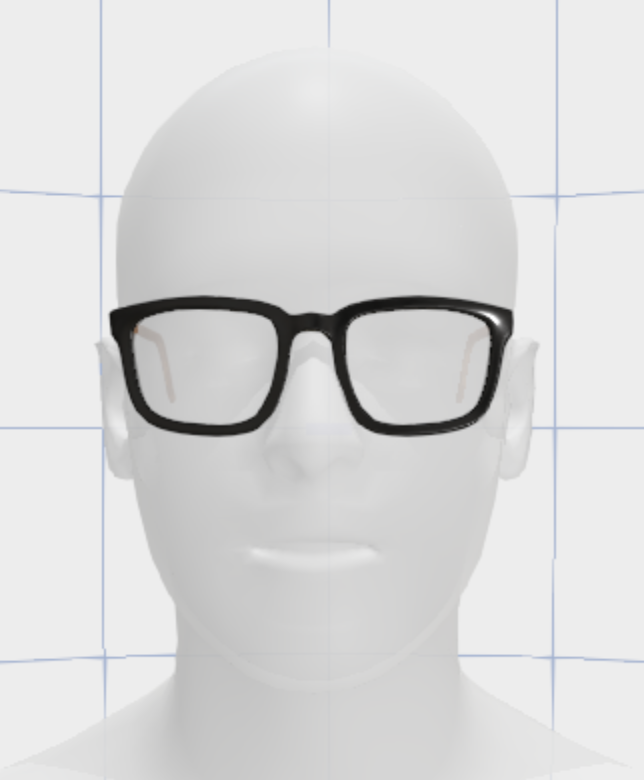
This function configures the scale at which AR objects are displayed relative to the user’s face in a web-based AR experience. It computes a scale factor based on the bounding box dimensions of a reference model (e.g., human-head) and applies this scale factor to the <mark style="color:orange;">`webar-face`</mark> and <mark style="color:orange;">`webar-face-pivot`</mark> entities. As a result, all AR objects that are children of these entities will have their scale and position adjusted according to the scale factor, ensuring the AR objects appear proportionally shrinked or enlarged as necessary.

<figure><img src="https://3528411624-files.gitbook.io/~/files/v0/b/gitbook-x-prod.appspot.com/o/spaces%2FcvoJ5rkZRlTAmKNdfteg%2Fuploads%2FTI4OnWjVvrEc2XwOT89x%2Fimage.png?alt=media&#x26;token=48be34f0-978c-40b9-9230-29d79266bf94" alt="" width="322"><figcaption></figcaption></figure>

**Parameters**

| Parameter                                        | Type                                     | Description                                                                                                                                                                                                       |
| ------------------------------------------------ | ---------------------------------------- | ----------------------------------------------------------------------------------------------------------------------------------------------------------------------------------------------------------------- |
| *<mark style="color:orange;">scaleFactor</mark>* | <mark style="color:orange;">float</mark> | A value calculated as the inverse of the x dimension of the bounding box of the reference model. It is applied as a uniform scale to all AR objects relative to the `webar-face` and `webar-face-pivot` entities. |

**Returns**

\-

**Example**

```javascript
// Asynchronously load the reference model and calculate its bounding box
let refModel = await loadModel('models/human-head.glb');
const bbox = new THREE.Box3().setFromObject(refModel);
const size = bbox.getSize(new THREE.Vector3());

// Calculate the scale factor from the x dimension of the bounding box
let scaleFactor = 1 / size.x;
console.log('Calculated scale Factor = ', scaleFactor);

// Apply the calculated scale factor to the webar-face entities
WEBARSDK.SetFaceScaleFactor(scaleFactor);
```

## **SetGuideAnimation()** <a href="#h_01g1v127p7asm5007erc8v7xb7" id="h_01g1v127p7asm5007erc8v7xb7"></a>

**Usage**

```javascript
WEBARSDK.SetGuideAnimation(pathURL);
```

**Description**

This function is used to set custom guide animations for surface tracking and marker tracking (only with scan button). Please note that it only supports lottie animations json format.([https://lottiefiles.com](https://lottiefiles.com/))

**Parameters**

| Parameter                                    | Type                                      | Description                                       |
| -------------------------------------------- | ----------------------------------------- | ------------------------------------------------- |
| *<mark style="color:orange;">pathURL</mark>* | <mark style="color:orange;">string</mark> | Path of json file created using lottie animations |

**Returns**

\-

**Example**

<pre class="language-javascript"><code class="lang-javascript"><strong>WEBARSDK.SetGuideAnimation("https://assets4.lottiefiles.com/packages/lf20_lir7pmho.json");
</strong></code></pre>

## **SetGuideViewCallbacks()** <a href="#setguideviewcallbacks" id="setguideviewcallbacks"></a>

**Usage**

```javascript
WEBARSDK.SetGuideViewCallbacks(startGuideViewCallback, stopGuideViewCallback);
```

**Description**

This API gives a callback once the surface tracking experience loads (Splash screen) and when the ***default*** Hand with phone animation guide starts(<mark style="color:red;">startGuideViewCallback</mark>) and then stops/hides (<mark style="color:red;">stopGuideViewCallback</mark>) after a surface is detected.

If you want to display a custom Hand with phone/Surface detection guide, set the SDK attribute show-guide-view="false", and use the two callback parameters passed via <mark style="color:red;">startGuideViewCallback</mark> and <mark style="color:red;">stopGuideViewCallback</mark>, to show and then hide it.

Other cases of using these callbacks are:

* A custom loading splash/progress full screen div element can be overlaid and can be removed/hidden after <mark style="color:red;">startGuideViewCallback</mark> is received
* Start the animation of a 3D model after <mark style="color:red;">stopGuideViewCallback</mark> is received.

**Example**

```javascript
WEBARSDK.SetGuideViewCallbacks(
  startGuideViewCallback = ()=>{
    console.log("Start(ed) hand guide animation");
    // TODO: Show custom hand with phone animation guide, if show-guide-view set to false
  },
  stopGuideViewCallback = ()=>{
    console.log("Stop(ped) hand guide animation");
    // TODO: Hide custom hand with phone animation guide, if show-guide-view set to false
  }
);ja
```

## **SetMarkerDetectedCallback()** <a href="#h_01g1v11w307n3dk8tacxbazcha" id="h_01g1v11w307n3dk8tacxbazcha"></a>

**Usage**

```javascript
WEBARSDK.SetMarkerDetectedCallback(callbackFunction);
```

**Description**

This is used to set a callback function when the 3D object appears on the screen after a marker image is detected. For example, this callback function can be used to start the animation of the 3D model.

**Parameters**

| Parameter                                                       | Type                                        | Description                                                                                                                                                                                                                                                                                      |
| --------------------------------------------------------------- | ------------------------------------------- | ------------------------------------------------------------------------------------------------------------------------------------------------------------------------------------------------------------------------------------------------------------------------------------------------ |
| *<mark style="color:orange;">callbackFunction(markerId)</mark>* | <mark style="color:orange;">function</mark> | <p>Callback function with <em><mark style="color:orange;">markerId</mark></em> as argument that gets called when a marker image is detected and its corresponding 3D object appears.</p><p><em><mark style="color:orange;">markerId</mark></em> - Id of the currently detected marker image.</p> |

**Returns**

\-

**Example**

```javascript
WEBARSDK.SetMarkerDetectedCallback((markerId) =>{
   console.info('Marker detected for marker id:', markerId);
});
```

## **SetMarkerLostCallback()** <a href="#h_01g1v127p7asm5007erc8v7xb7" id="h_01g1v127p7asm5007erc8v7xb7"></a>

**Usage**

```javascript
WEBARSDK.SetMarkerLostCallback(callbackFunction);
```

**Description**

This is used to set a callback function when a marker image tracking is lost.

**Parameters**

| Parameter                                                       | Type                                        | Description                                                                                                                                                                                                                     |
| --------------------------------------------------------------- | ------------------------------------------- | ------------------------------------------------------------------------------------------------------------------------------------------------------------------------------------------------------------------------------- |
| *<mark style="color:orange;">callbackFunction(markerId)</mark>* | <mark style="color:orange;">function</mark> | <p>Callback function with <em><mark style="color:orange;">markerId</mark></em> as argument that gets called when a marker is lost</p><p><em><mark style="color:orange;">markerId</mark></em> - ID of the lost marker image.</p> |

**Returns**

\-

**Example**

```javascript
WEBARSDK.SetMarkerLostCallback((markerId) =>{
   console.info('Marker is lost for marker id: ', markerId);
});
```

## **SetMouthMeshFilled()** <a href="#h_setmouthmeshfilled" id="h_setmouthmeshfilled"></a>

**Usage**

```javascript
WEBARSDK.SetMouthMeshFilled(false);
```

**Description**

If set to false, the mouth area of the facemesh appears hollow .i.e no texture/material is rendered on the mouth area. If set to true, mouth of the facemesh is closed.

**Parameters**

| Parameter                                          | Type                                       | Description                                                                       |
| -------------------------------------------------- | ------------------------------------------ | --------------------------------------------------------------------------------- |
| *<mark style="color:orange;">fillMouthArea</mark>* | <mark style="color:orange;">boolean</mark> | <p>false - Mouth area appears hollow.</p><p>true - Mouth area appears filled.</p> |

**Returns**

\-

**Example**

```javascript
WEBARSDK.SetMouthMeshFilled(true);
```

## **SetPortalEntryCallback()** <a href="#h_01fg3whtz56r9fhgswh5rbc27g" id="h_01fg3whtz56r9fhgswh5rbc27g"></a>

**Usage**

```javascript
WEBARSDK.SetPortalEntryCallback(callbackFunction, closenessRatio);
```

**Description**

This is a portal experience and is used to set a callback function when the mobile device approaches a 3D portal/door entrance.

**Parameters**

| Parameter                                             | Type                                        | Description                                                                                                                                                                                                                                                                         |
| ----------------------------------------------------- | ------------------------------------------- | ----------------------------------------------------------------------------------------------------------------------------------------------------------------------------------------------------------------------------------------------------------------------------------- |
| *<mark style="color:orange;">callbackFunction</mark>* | <mark style="color:orange;">function</mark> | Callback function that gets called when the mobile device approaches a 3d object.                                                                                                                                                                                                   |
| *<mark style="color:orange;">closenessRatio</mark>*   | <mark style="color:orange;">float</mark>    | <p>Specifies the object closeness threshold required to trigger this callback.</p><ul><li><strong>0.25</strong> to <strong>0.4</strong> represent a range of typical values depending on application.</li><li><strong>0.25</strong> is closer than <strong>0.4</strong> .</li></ul> |

{% hint style="info" %}
The callback function for when the mobile device approaches a 3D object.
{% endhint %}

\
**Returns**

\-

**Example**

```javascript
let closenessRatio = 0.30;

WEBARSDK.SetPortalEntryCallback(() => {
   console.info('Entered the portal');
 },
closenessRatio);
```

## SetResetButtonCallbac&#x6B;**()** <a href="#h_01fg3whtz56r9fhgswh5rbc27g" id="h_01fg3whtz56r9fhgswh5rbc27g"></a>

**Usage**

```javascript
WEBARSDK.SetResetButtonCallback(callbackFunction);
```

**Description**

This function is designed to link a user-defined callback to the reset button's action within an AR interface. When the reset button is pressed, the specified callback function is executed, allowing developers to implement custom logic such as resetting the scene, clearing user progress, or other application-specific reset behavior.

**Parameters**

| Parameter                                             | Type                                        | Description                                                          |
| ----------------------------------------------------- | ------------------------------------------- | -------------------------------------------------------------------- |
| *<mark style="color:orange;">callbackFunction</mark>* | <mark style="color:orange;">function</mark> | Callback function that gets called when the reset button is clicked. |

{% hint style="info" %}
This function's utility is predicated on the <mark style="color:orange;">`webar-ux-control`</mark> being properly set up with <mark style="color:blue;">`stageCursorUX`</mark> set to <mark style="color:blue;">`true`</mark> in the scene. Without this configuration, the reset button—and consequently the reset callback—will not function. (Only for AFrame & BabylonJS)
{% endhint %}

\
**Returns**

\-

**Example**

```javascript
WEBARSDK.SetResetButtonCallback(() => {
   console.info('Reset button is clicked');
 });
```

## **SetResetButtonVisibility()** <a href="#h_01g1v127p7asm5007erc8v7xb7" id="h_01g1v127p7asm5007erc8v7xb7"></a>

**Usage**

```javascript
WEBARSDK.SetResetButtonVisibility(isVisible);
```

**Description**

The `SetResetButtonVisibility` function controls the display of the reset button within the AR interface. It provides the ability to dynamically show or hide the reset button based on the needs of the AR experience or user preferences.

**Parameters**

| Parameter                                      | Type                                       | Description                                                                                          |
| ---------------------------------------------- | ------------------------------------------ | ---------------------------------------------------------------------------------------------------- |
| *<mark style="color:orange;">isVisible</mark>* | <mark style="color:orange;">boolean</mark> | Determines the visibility of the reset button. Pass `true` to show the button or `false` to hide it. |

**Returns**

\-

**Example**

```javascript
// Call this function to make the reset button visible
WEBARSDK.SetResetButtonVisibility(true);

// Call this function to hide the reset button
WEBARSDK.SetResetButtonVisibility(false);
```

## **SetStageReadyCallback()** <a href="#setstagereadycallback" id="setstagereadycallback"></a>

**Usage**

```javascript
WEBARSDK.SetStageReadyCallback(callbackFunction);
```

**Description**

This function is used to set a callback function when the object appears for the first time on screen after the surface. For example, this callback function can be used to start the animation of the 3D model.

**Parameters**

| Parameter                                                       | Type                                        | Description                                                                                                                                                                                                                                                                                                          |
| --------------------------------------------------------------- | ------------------------------------------- | -------------------------------------------------------------------------------------------------------------------------------------------------------------------------------------------------------------------------------------------------------------------------------------------------------------------- |
| *<mark style="color:orange;">callbackFunction(markerId)</mark>* | <mark style="color:orange;">function</mark> | <p>Callback function with <em><mark style="color:orange;">markerId</mark></em> as argument that gets called when the 3d object appears for the first time on screen after the surface has been detected.</p><p><em><mark style="color:orange;">markerId</mark></em> - Id of the currently detected marker image.</p> |

{% hint style="info" %}
This is the callback function that gets called when the 3D object appears on screen for the first time after the surface has been detected.
{% endhint %}

**Returns**

\-

**Example**

```javascript
WEBARSDK.SetStageReadyCallback(() =>{
   console.info('Stage is ready now!!!');
});
```

## **SetTrackingQualityChangeCallback()** <a href="#h_01gb2v0cqq3pk5k8swyfn8b6mq" id="h_01gb2v0cqq3pk5k8swyfn8b6mq"></a>

**Usage**

```javascript
WEBARSDK.SetTrackingQualityChangeCallback(callbackFunction);
```

**Description**

This is used to set a callback function when either 'Surface' or 'Marker' tracking quality gets changed.

**Parameters**

| Parameter                                                              | Type                                        | Description                                                                                                                                                                                                                                                                                                                                                                                                                                                                                                               |
| ---------------------------------------------------------------------- | ------------------------------------------- | ------------------------------------------------------------------------------------------------------------------------------------------------------------------------------------------------------------------------------------------------------------------------------------------------------------------------------------------------------------------------------------------------------------------------------------------------------------------------------------------------------------------------- |
| *<mark style="color:orange;">callbackFunction(trackingQuality)</mark>* | <mark style="color:orange;">function</mark> | <p>Callback function with <em><mark style="color:orange;">trackingQuality</mark></em> as an argument that gets called whenever tracking quality gets changed.</p><p><em><mark style="color:orange;"><strong>trackingQuality</strong></mark></em> - quality of tracking:</p><ol><li><em><mark style="color:orange;">LOW</mark></em></li><li><em><mark style="color:orange;">MEDIUM</mark></em></li><li><em><mark style="color:orange;">HIGH</mark></em></li><li><em><mark style="color:orange;">LOST</mark></em></li></ol> |

**Returns**

\-

**Example**

```javascript
WEBARSDK.SetTrackingQualityChangeCallback((trackingQuality) =>{
   console.info('Tracking quality: ', trackingQuality);
});
```

## **SetTrackingStartedCallback()** <a href="#h_01gb36akd70y1aajpbtkc7aaqz" id="h_01gb36akd70y1aajpbtkc7aaqz"></a>

**Usage**

```javascript
WEBARSDK.SetTrackingStartedCallback(callbackFunction);
```

**Description**

This function is used to set a callback function which gives a callback when either 'Surface' or 'Marker' tracking has started.

**Parameters**

| Parameter                                               |                                             | Description                                           |
| ------------------------------------------------------- | ------------------------------------------- | ----------------------------------------------------- |
| *<mark style="color:orange;">callbackFunction()</mark>* | <mark style="color:orange;">function</mark> | Callback function is called when tracking has started |

**Returns**

\-

**Example**

```javascript
WEBARSDK.SetTrackingStartedCallback(() =>{
   console.info('Tracking has started');
});
```

## **SetTrackingStoppedCallback()** <a href="#h_01gb36b3htd63psma24mzv60r5" id="h_01gb36b3htd63psma24mzv60r5"></a>

**Usage**

```javascript
WEBARSDK.SetTrackingStoppedCallback(callbackFunction);
```

**Description**

This function is used to set a callback function which gives a callback when either 'Surface' or 'Marker' tracking has stopped.

**Parameters**

| Parameter                                               | Type                                        | Description                                           |
| ------------------------------------------------------- | ------------------------------------------- | ----------------------------------------------------- |
| *<mark style="color:orange;">callbackFunction()</mark>* | <mark style="color:orange;">function</mark> | Callback function is called when tracking has stopped |

**Returns**

\-

**Example**

```javascript
WEBARSDK.SetTrackingStoppedCallback(() =>{
   console.info('Tracking has stopped');
});
```

## **SetWebARMode()** <a href="#h_01fg3whtz56r9fhgswh5rbc27g" id="h_01fg3whtz56r9fhgswh5rbc27g"></a>

**Usage**

```javascript
WEBARSDK.SetWebARMode(tracking-mode);
```

**Description**

This function is used to set the webar mode at a delayed stage of application. It provides a dynamic loading using lazy initialisation. It should be called **only-if** *webar-mode* script attribute is specified with 'lazy-mode'.

{% hint style="info" %}
This method has to be called before *StartTracking().*
{% endhint %}

**Parameters**

| Parameter                                         |                                           |                                                                                                                                                                                             |
| ------------------------------------------------- | ----------------------------------------- | ------------------------------------------------------------------------------------------------------------------------------------------------------------------------------------------- |
| *<mark style="color:orange;">trackingMode</mark>* | <mark style="color:orange;">string</mark> | <p>Two tracking modes are available, anyone can be passed as an argument:</p><ol><li><em><strong>surface-tracking</strong></em></li><li><em><strong>marker-tracking</strong></em></li></ol> |

**Returns**

\-

**Example**

```javascript
WEBARSDK.SetWebARMode(trackingMode);
```

## **StartTracking()** <a href="#h_01gb39bk6g8z9d7h3knby2zeqk" id="h_01gb39bk6g8z9d7h3knby2zeqk"></a>

**Usage**

```javascript
WEBARSDK.StartTracking(keepARAfterLost = false);
```

**Description**

This function is used to start the tracking, if tracking has stopped or param '*auto-start*' is set to '*false*'. It either starts Surface or Marker Tracking based on the *'webar-mode'* attribute.

{% hint style="info" %}
*auto-init* is associated with initializing the sdk core whereas *auto-start* enables the user to control when to start the tracking in the app.
{% endhint %}

**Parameters**

| Parameter                                            | Type                                       | Description                                                                                                                 |
| ---------------------------------------------------- | ------------------------------------------ | --------------------------------------------------------------------------------------------------------------------------- |
| *<mark style="color:orange;">keepARAfterLost</mark>* | <mark style="color:orange;">boolean</mark> | By keeping this flag to *true*, AR object remains visible when tracking is lost. By default, flag value is kept to *false*. |

**Returns**

\-

**Example**

```html
<script src="<path_to_webar_sdk_min_js>"
auto-start="false">
</script>

WEBARSDK.StartTracking(true);
```

## **StopTracking()** <a href="#h_01gb39by469arv9hqb6b0kjx45" id="h_01gb39by469arv9hqb6b0kjx45"></a>

**Usage**

```
WEBARSDK.StopTracking(keepARVisible = false);
```

**Description**

This function is used to stop the tracking, if tracking has already started.

{% hint style="info" %}
*auto-init* is associated with initializing the sdk core whereas *auto-start* enables the user to control when to start the tracking in the app.
{% endhint %}

**Parameters**

| Parameter                                          | Type                                       | Description                                                                                                              |
| -------------------------------------------------- | ------------------------------------------ | ------------------------------------------------------------------------------------------------------------------------ |
| *<mark style="color:orange;">keepARVisible</mark>* | <mark style="color:orange;">boolean</mark> | By keeping this flag *true*, AR object remains visible when tracking is stopped. By default, flag value is kept *false*. |

**Returns**

\-

**Example**

```javascript
WEBARSDK.StopTracking(true);
```

## **TakeSnapShot()** <a href="#h_takesnapshot" id="h_takesnapshot"></a>

**Usage**

```
WEBARSDK.TakeSnapShot(callback, canvas);
```

**Description**

This function is used to capture a snapshot of the AR experience.

{% hint style="info" %}
Only for Playcanvas! To get the snapshot API to work correctly in Playcanvas rendering engine, enable Preserve Drawing Buffer flag. Go to Playcanvas Project Editor, then navigate to project SETTINGS > RENDERING tab and make sure "Preserve Drawing Buffer" is checked.
{% endhint %}

**Parameters**

| Parameter                                     | Type                                                   | Description                                                                                                                                                                                                                                                                                                                                        |
| --------------------------------------------- | ------------------------------------------------------ | -------------------------------------------------------------------------------------------------------------------------------------------------------------------------------------------------------------------------------------------------------------------------------------------------------------------------------------------------- |
| *<mark style="color:orange;">callback</mark>* | <mark style="color:orange;">function</mark>            | The callback is called after a snapshot is ready. It provides the canvas instance as an argument in which the screenshot buffer is drawn using its '2d' context. Example: (canvas) => { }                                                                                                                                                          |
| *<mark style="color:orange;">canvas</mark>*   | <mark style="color:orange;">HTML Canvas Element</mark> | Instance of a HTML canvas element. The captured sanpshot is drawn on the 2d context of this user given canvas and also passed as an argument in the callback(1st parameter). If this parameter is ignored or null or undefined, then sdk creates a canvas element to draw the snapshot in 2d context and passes it to the callback(1st parameter). |

**Returns**

\-

**Example**

```javascript
    <script>
        var captureCanvas = document.createElement('canvas');
        captureCanvas.setAttribute('id', 'captureCanvas');

        // Set a timer to take auto snapshot after 10 seconds and download it as a PNG file.
        setTimeout(() => {
            console.log('Taking photo');

            WEBARSDK.TakeSnapShot(() => {
                const link = document.createElement("a");
                link.download = "ar_snapshot.png";
                link.target = '_blank';
                link.href = captureCanvas.toDataURL('image/png');
                link.click();
            }, captureCanvas);
        },
        10000);

    </script>
```
