> For the complete documentation index, see [llms.txt](https://docs.blippar.com/webar-sdk/llms.txt). Markdown versions of documentation pages are available by appending `.md` to page URLs; this page is available as [Markdown](https://docs.blippar.com/webar-sdk/v2.0.5/getting-started/download-webar-sdk.md).
# Download WebAR SDK
Learn more on the process for downloading your free kit
{% content-ref url="/spaces/3UKy7VHRJWrNarYaMp13" %}
[Blippar Documentation Centre](https://docs.blippar.com/blippar-documentation-centre/)
{% endcontent-ref %}
## Introduction
You will need to download the WebAR SDK Bundle for creating your AR experiences:
## Process
* Login to the [**HUB**](https://blipps.blippar.com/)
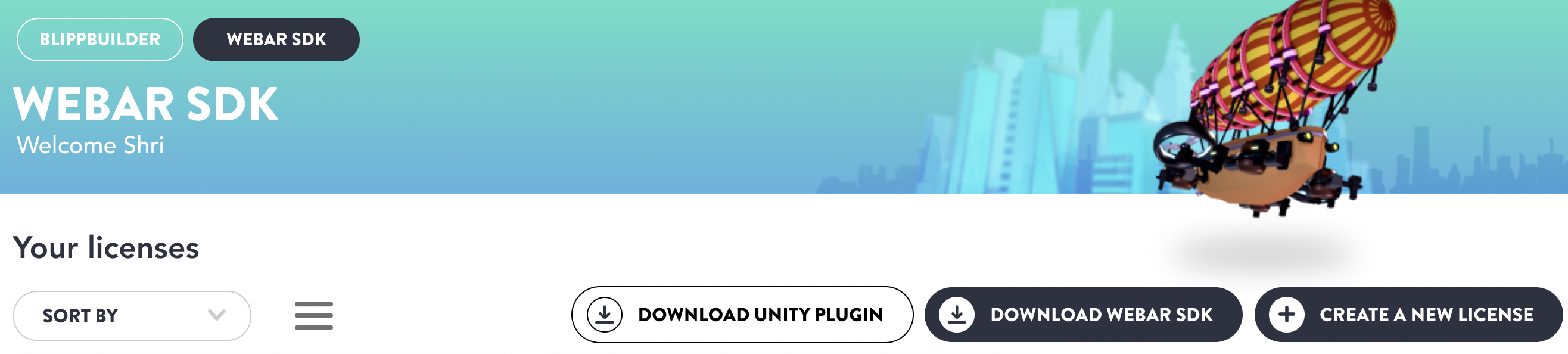
* Click on Download SDK as shown in image below:
Download WebAAR SDK
* A zip folder named: Blippar WebAR SDK will be downloaded on your system along with a suffix of the version.
* You need to unzip and extract all files: right click on the file and click on extract All
* Select the storage location based on your preference, click the check box to show all files and click extract
* Note down the location of the Blippar folder as you will need to reference it when you are writing your HTML. The simplest option is to locate the Blippar folder in the same location as the HTML file, in which case the script line will look like this:
```html
```
## Next Steps
Now you have a license and have downloaded the WebAR SDK kit. Now, it is time to[ install the SDK and build your first WebAR experience](/webar-sdk/v2.0.5/getting-started/installing-webar-sdk.md)
With just few lines of code you can create several extraordinary, engaging and interactive Web AR experiences. Your Users can visualize your products while they enjoy an immersive browser-based Augmented Reality experience on your very own website.
Here is a [Sample Project](https://github.com/blippar/webar-sdk-example) to help you get started.